Font Inspector
Analyze, test and diagnose your fonts. Explore the details, understand the differences, and choose with confidence.
Private by design. Font-file inspection stays on this device.
Swipe to explore sections
Get to know your font.
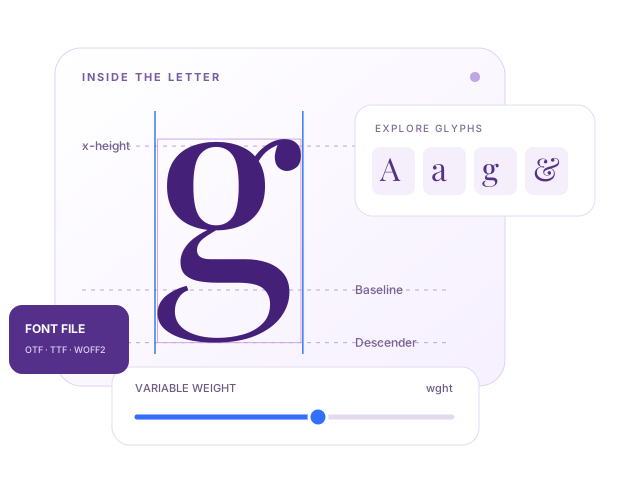
Look beyond the specimen. Explore its characters, test its features and see what is ready for your next project.
Your font is processed locally. Nothing is uploaded.Names, glyphs, metrics and tables.
Real copy, variable axes and features.
Compare files and review findings.
Looking for a font from an image? Open image matching Beta
Separate visual matching workflow. Suggestions come from a small curated catalog, not an exhaustive font search. Preview fonts and OCR assets load from external services; the image is processed locally.
Drop a font file here
or
Supported: OTF, TTF, WOFF, WOFF2Maximum file size: 25 MB
Drop an image here
or
Use a clear, straight screenshot with one prominent line of text.Supported: PNG, JPG, WEBP · Maximum: 15 MB
What you’ll discover
Load a font or image to explore typography, test real copy, compare glyphs, and download a compact inspection report.
Upload a font to begin inspection.
- Family
- —
- Style
- —
- Glyphs
- —
- Format
- —
- File size
- —
Live Specimen
File Details
- Filename
- —
- MIME type
- —
- Last modified
- —
- Browser support
- Waiting
Crop closely around one line of text for the strongest result.
Image Font Match
Find Possible Font Matches
Choose an image to begin.
Results are visual estimates, not licence or identity verification. Clean, high-resolution text produces better matches.Glyph Explorer
Upload a font to preview its characters.
Practical Recommendations
- Preview headings and body copy before committing to a font.
- Check legibility at small sizes, not only in dramatic headlines.
- Pair expressive display fonts with a quieter reading face.
- Confirm the licence before commercial use.
TOOL OVERVIEW
Inspect font files before you use them
A beautiful specimen is only the beginning. Fontish Font Inspector opens TTF, OTF, WOFF and WOFF2 files locally, then turns their internal data into a practical workspace for designers and developers.
Read font names and licensing metadata, explore every glyph, check character coverage and inspect the measurements behind your type. Use the findings to choose a font that fits your actual project.
Private by design: the selected font file stays on your device.
How to inspect and test a font
- Choose a TTF, OTF, WOFF or WOFF2 file, or drop it into the workspace.
- Start with Overview, then explore glyphs, languages, metrics and license metadata.
- Test your copy at different sizes, toggle OpenType features or adjust variable axes.
- Compare another font and export the findings. Review the original license before use.
From glyphs to web performance: understand your font
Explore Unicode coverage, compare two files at the same size, and test OpenType features with your own text. Variable-font controls reveal the axes and named instances declared in the file. The Metrics Lab explains the values that influence proportions and line spacing.
Health checks flag specific structural and metadata issues. The File Size section shows table contributions and a character-retention analysis for your text. Export findings as JSON, CSV, CSS or a printable report. Character coverage is not a guarantee of language shaping, and license metadata is not a grant of permission.
Font Inspector: frequently asked questions
How can I inspect a font file online?
Choose a supported font file. Fontish parses its metadata, glyph map and tables locally, then displays the results in the inspection workspace.
Can I view glyphs in a TTF or OTF file?
Yes. The Glyphs section lists encoded and unencoded glyphs with search, outline previews and individual measurements. Color fonts may have a monochrome outline preview.
Does Fontish upload my font file?
No. Font-file inspection runs locally in a browser worker. Your selected font is not uploaded or saved by the inspector.
Does character coverage guarantee language support?
No. These checks compare required character sets with the Unicode map. They do not certify shaping, mark positioning or language-specific typography. Test real copy before publishing.
Can I use an inspected font commercially?
Inspection does not grant a license. Read the embedded description and embedding flags, then verify the original license from the designer or foundry.
Keep Exploring